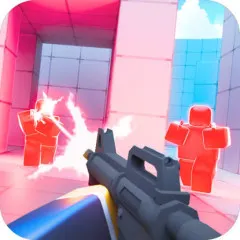
PokéBonk throws you into a 3D arena where enemy waves never stop. Pick upgrades, keep moving, and see how long your build survives, all from inside your web browser.
Your First Run in PokéBonk, Step by Step
A run starts simple and gets harder the longer you last.
- Open the game page and pick the mode that is available.
- Choose your starting Pokémon from the current roster.
- Spend your first minute testing movement and the camera before enemies pile up.
- Defeat enemies, pick up experience, and select an upgrade each time you level.
- When a run ends, note what killed you and adjust your next build.
Keys and Mouse Inputs at a Glance
Bindings can change between versions, so check the settings screen before you begin.
| Key or Input | Action |
|---|
| W, A, S, D | Move your Pokémon |
| Mouse | Control the camera |
| Space | Jump, hold to glide with supported characters |
| Shift | Slide or dodge |
| E | Interact with nearby objects |
| R | Use the Ultimate ability |
| Right Click | Lock onto a target |
| Q | Switch aiming mode |
| T | Toggle auto run |
| M | Open the larger map |
| P or Esc | Pause or resume |
What Sets This Survivor Apart
- Here is what the game offers beyond the usual arena formula:
- A three dimensional space where jumping, gliding, and sliding create new escape routes
- Real time combat with no menus and no waiting for your turn
- Upgrades that pay off when you pair abilities that work together
- Evolution that makes your Pokémon noticeably stronger mid run
- Target lock and aiming modes for cleaner shots
- Instant access with no client download
Habits That Keep You Alive Longer
- Never stand still, because a stationary player gets surrounded fast.
- Rotate the camera often to spot threats before they reach you.
- Build around two or three abilities that support each other.
- Hold your Ultimate for the moment a crowd closes in.
- After every defeat, ask what put you in danger and fix that first.
Quick Answers Before You Start
Is there anything to install?
No. It opens in your browser whenever the game is available.
Is combat turn based?
No. Everything happens in real time, so where you stand matters as much as how hard you hit.
Will the controls match the table above?
Probably, though versions differ. The in game tutorial has the final word.
Is It Worth Your Time?
PokéBonk takes a genre built on simple ideas and adds a third dimension to it. The loop is easy to grasp: move, fight, upgrade, repeat. What keeps it interesting is how much your positioning and build choices shape each run. Hopping over a crowd or sliding out of a tight corner feels very different from steering a flat sprite across the screen.
Before you commit hours, check how it performs on your device, since a busy 3D arena can strain older hardware. Keep in mind that the source material says nothing about licensing, so treat the game as an unofficial project and avoid entering personal details on the page. If you enjoy short, tense runs that reward learning from your mistakes, give it a handful of attempts and watch how your build improves.